
How to Duplicate a Supabase Project: 3 Ways That Work
Published Jul 8, 2026 · Updated Oct 1, 2026 · 7 min read
Supabase has no one-click "Duplicate project" button, so you duplicate a project one of three ways: the official Restore to a new project (a full database copy, paid plans only), a manual pg_dump / pg_restore (works on any plan, but fiddly), or SupaClone, which copies your project's own schemas - tables, RLS policies, functions, triggers - and, if you want, their data, into a fresh project and verifies every object afterward. You choose exactly what to include per run, so it fits both a lean structure-only duplicate and a full data copy; the official restore is the better fit when you specifically need auth.users and a paid-plan full-database replica.
Why is there no "Duplicate project" button in Supabase?
Because a Supabase project is not just a Postgres database - it bundles auth, storage, edge functions, realtime, API keys, and per-project infrastructure. There's no single button that safely reproduces all of that, which is why "duplicate a project" has been an open request on the Supabase GitHub discussions for years. What Supabase gives you instead is a database-level copy (Restore to a new project) plus manual steps for everything else.
So "duplicating" always means choosing how much of the project you actually need in the copy. Most of the time you're building a staging environment and you decide how much to bring - the structure on its own, or the data too.
The 3 ways to duplicate a Supabase project, compared
| Method | Plan | Data + auth users? | Structure (RLS, funcs, triggers)? | Storage / Edge / Auth | Verified? | Best for |
|---|---|---|---|---|---|---|
| Restore to a new project | Paid (physical backups on) | Yes - full database | Yes | No - manual | No | A full production replica |
| Manual pg_dump / pg_restore | Any (incl. free) | Optional (--data-only) | Yes, if you get the flags right | No - manual | No | One-offs, free tier, full control |
| SupaClone | Any (OAuth, no backups needed) | Optional data; not auth.users | Yes | Yes - native, selectable | Yes | Fast, verified staging/dev duplicates |
The rest of this guide walks the SupaClone path in detail, then covers when the official restore or a manual dump is the right call instead.
How to duplicate a Supabase project with SupaClone
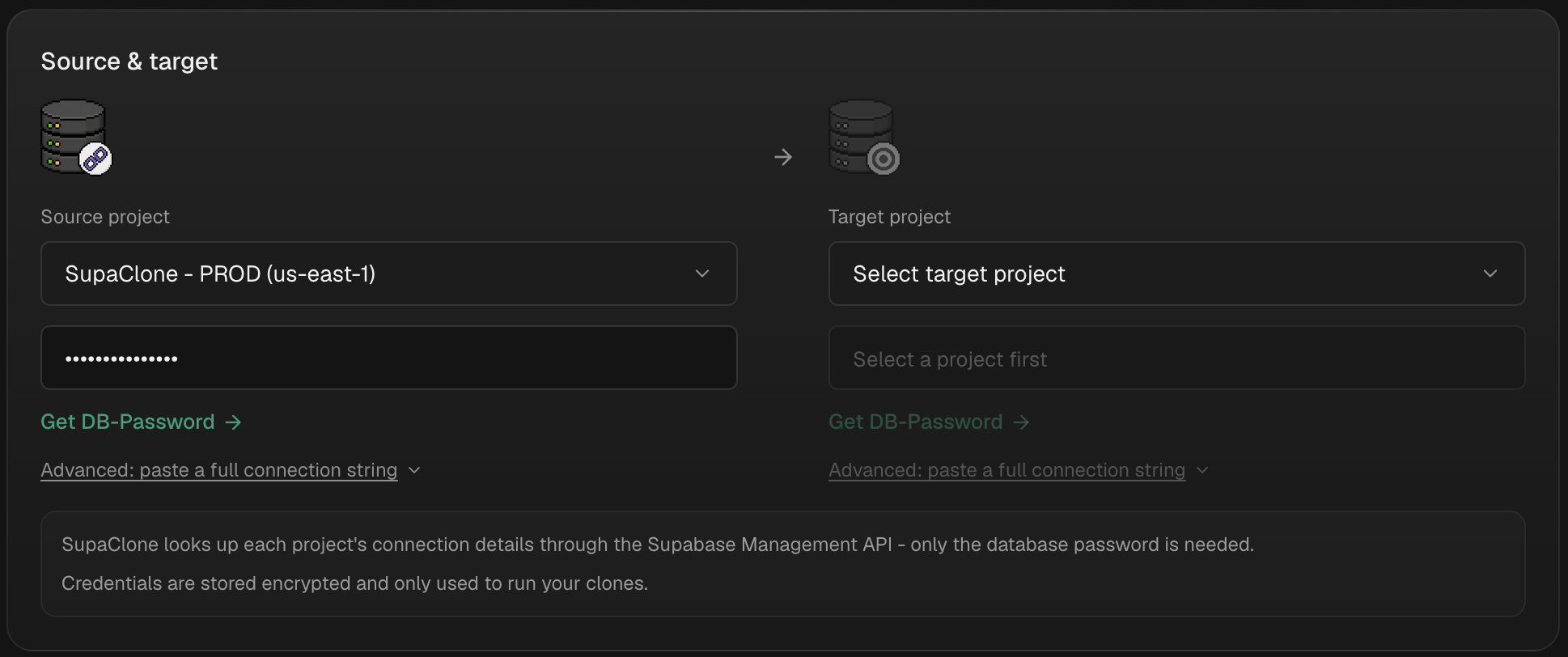
SupaClone looks up each project's connection details through the Supabase Management API - you only provide the database password, which is stored encrypted. It reads your source project and writes only into a fresh, empty target project; it never touches or overwrites the source.
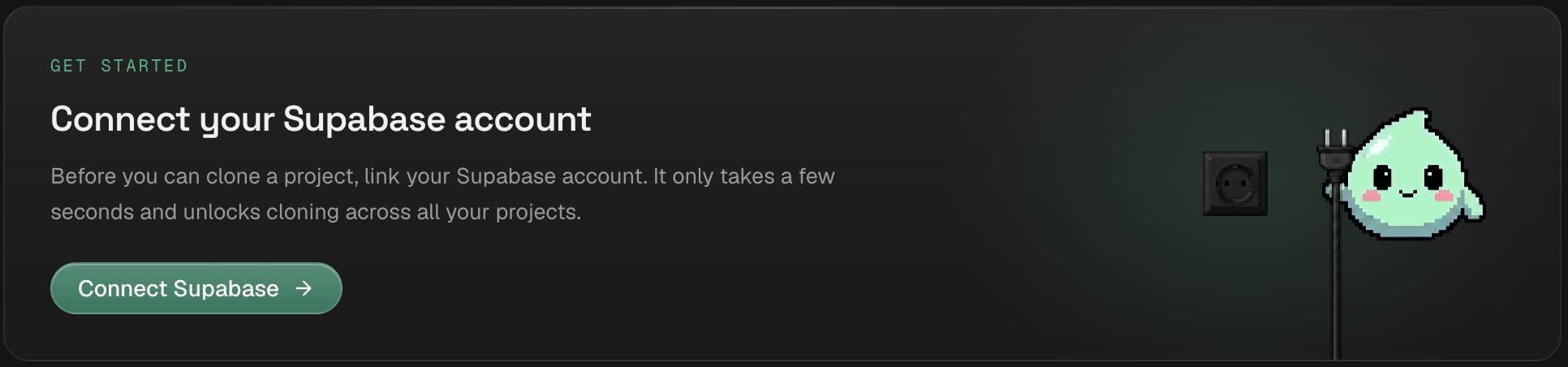
- Sign in and connect Supabase. Authorize SupaClone against the account that owns your source project. It lists your projects; no credentials are stored on your side.
- Get an empty target project. SupaClone only writes into fresh projects, which is what keeps the operation safe. Either create one in the Supabase dashboard, or pick "Create a new empty project" in the target select and SupaClone provisions it in your connected organization for you - including its database password, so there is nothing to look up.
- Pick source → target. Choose the project you're duplicating and the empty project as the target.
-
Review the clone plan. SupaClone builds a baseline-aware plan with native
pg_dump/pg_restorethat correctly skips Supabase-managed schemas (auth,storage,realtime) so you don't hit the ownership errors a raw dump throws. You see exactly which schemas, tables, RLS policies, functions, triggers, indexes, views, enums, and extensions will be copied. -
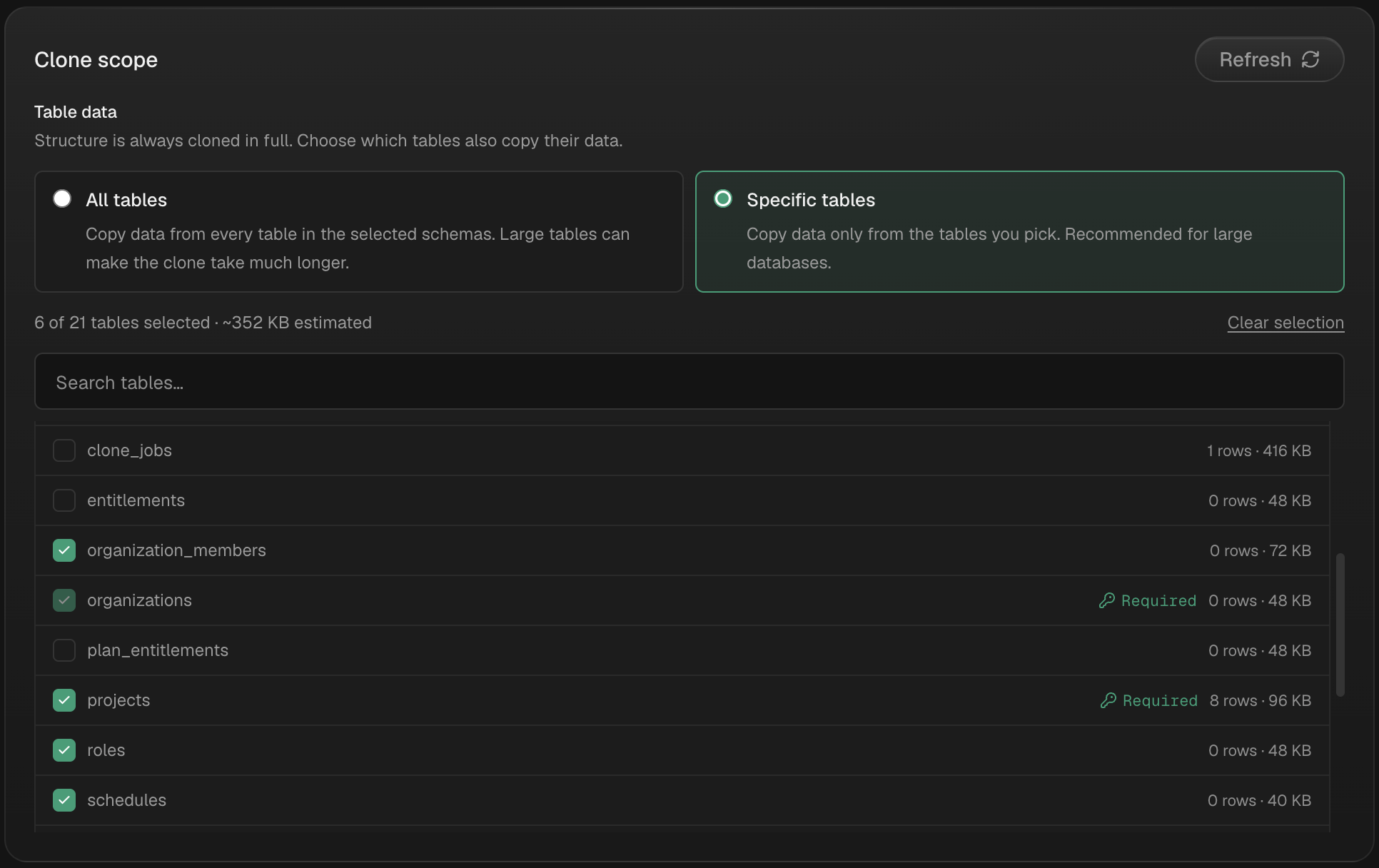
Pick exactly what to include. Everything is selectable - your schemas, their data, plus Storage (buckets, files, settings, policies), Edge Functions (code + verify-JWT), and Auth config. These are native, not paid extras; turn on only what you need. Secrets and API keys are never copied - they surface as manual steps in the report instead.
- Run it, then read the report. Every run ends in field-by-field verification and a full report of what was cloned, skipped, failed, or left as a manual step - so there are no silent gaps.
That's the whole loop: authorize, pick a fresh target, review, run, verify. Plans start at $9.99 one-time for 1 full clone run (only successful runs count) - see pricing. Note the honest limits: SupaClone skips the Supabase-managed schemas, so it never copies auth.users - for production auth accounts, use the official restore. Exact data cloning is available now; anonymized data cloning is coming soon.
When "Restore to a new project" is the better fit
If you're on a paid plan with physical backups enabled and you want a complete replica - all data, indexes, database roles, and even auth.users (accounts and hashed passwords) - the official restore is the right tool. In the dashboard, open Database → Backups → Restore to a new project, pick a backup (or a PITR timestamp), review the cost, and Supabase provisions a new project that mirrors the source's compute size, disk, SSL, and network settings.
Know the caveats before you rely on it:
- It's a database-only copy. Storage objects, edge functions, auth settings and API keys, realtime config, extensions, and read replicas are not carried over and need manual setup.
- Extensions that do external work (
pg_net,pg_cron,wrappers) should be disabled on the copy right after restore to avoid duplicate jobs firing. - A restored project can't itself be used as the source for another clone.
- The new project mirrors the source's compute, so it incurs the same monthly cost.
For a full walkthrough of every option side by side, see How to Clone a Supabase Project: 5 Methods Compared.
How to duplicate a Supabase project on the free tier
The official restore needs a paid plan, so on the free tier you duplicate with a manual dump. The reliable pattern is three passes so roles and schema exist before the data lands:
supabase db dump --db-url "$SOURCE_DB_URL" -f roles.sql --role-only
supabase db dump --db-url "$SOURCE_DB_URL" -f schema.sql
supabase db dump --db-url "$SOURCE_DB_URL" -f data.sql --data-only

psql --single-transaction --variable ON_ERROR_STOP=1 --file roles.sql   --dbname "$NEW_DB_URL"
psql --single-transaction --variable ON_ERROR_STOP=1 --file schema.sql --file data.sql --dbname "$NEW_DB_URL"
Two things bite people here: any Postgres extensions must be enabled in the new project before you run schema.sql, or the restore errors out; and dumping the Supabase-managed schemas raises must be owner of errors unless you exclude them. The Supabase pg_dump and pg_restore guide covers the correct ports, schema exclusions, and how to verify the restore.
FAQ
Does Supabase have a duplicate project button?
No. There is no one-click duplicate in the dashboard. The closest native feature is Restore to a new project, which copies the database into a brand-new project on paid plans. On any plan, SupaClone reproduces your own schemas - tables, RLS, functions, triggers - with or without their data, and verifies them.
Can I duplicate a Supabase project on the free plan?
Yes, but not with the official restore, which requires a paid plan with physical backups. On the free tier you either run a manual pg_dump/pg_restore into a fresh project, or use SupaClone, which connects via OAuth and clones the structure without needing backups enabled.
Does duplicating a Supabase project copy my data and users?
It depends on the method. The official restore copies everything, including auth.users. A manual dump copies data only if you include --data-only. SupaClone lets you choose per run - the structure, or the structure plus the data in your own schemas - and it skips the Supabase-managed auth schema, so it never copies auth.users. Anonymized data cloning is coming soon.
Will duplicating overwrite my existing project?
Not with SupaClone - it only ever reads the source and only writes into a fresh, empty target, so an existing project can't be overwritten. With a manual restore, always point pg_restore/psql at a new project, never an in-use one.
What isn't copied automatically?
Across every method, secrets and API keys are never duplicated - treat them as manual steps. The official restore also leaves storage, edge functions, auth settings, and realtime for you to reconfigure; SupaClone can natively include storage, edge functions, and auth config (never secrets), each selectable per run.