
Transfer a Supabase Project to Another Account or Org
Published Jul 8, 2026 · Updated Oct 1, 2026 · 7 min read
Supabase transfers projects between organizations natively: open the project's General settings, start a project transfer, and pick the target organization. You need to be an Owner of the source organization and at least a Member of the target one, so to hand a project to someone else's account, that person first invites you into their organization. A transfer moves the project; if you need to keep the original and give away a copy, you clone it into a new project first and transfer the copy.
How do you transfer a Supabase project to another organization?
The project transfer is built into the dashboard and takes a few minutes:
- Check your roles. Owner of the source organization, at least Member of the target organization.
- Remove the blockers. The docs list three: an active GitHub integration connection, project-scoped roles pointing at the project (Team/Enterprise), and configured log drains. Disconnect them, transfer, reconnect.
- Check the target plan. Moving into a Free Plan organization only works if the target stays within its two free projects, and features the target plan does not include stop working. A move from a paid to a Free Plan org can cause 1-2 minutes of downtime.
- Start the transfer from the source project's General settings and select the target organization.
Because the same project moves, nothing has to be reconfigured: database, Storage, Edge Functions and add-ons go with it, and the project ref stays the same, so your URL and API keys keep working. Usage up to the transfer is billed to the source organization, usage after it to the target organization.
Two things the transfer does not do: it cannot change the region (see changing a Supabase project's region), and your role in the target organization decides your rights on the project afterward - Owner in the old org does not make you Owner in the new one.
How do you transfer a Supabase project to someone else's account?
There is no "transfer to user" button. Projects belong to organizations, and transfers run between organizations you are a member of. For a handover to a client or a colleague's account:
- The recipient creates an organization in their account (or uses an existing one) and invites you as a Member.
- You accept the invite, then transfer the project into their organization as described above.
- The recipient removes you from their organization once the handover is done.
If the project should change hands together with everything else in your organization, a community-suggested alternative is to invite the new account into your organization, make it Owner, and then leave the organization yourself. That hands over every project in it at once, so only do it when that is what you want.
Transfer or copy: which one do you actually need?
A transfer relocates the exact same project - same ref, same URL, same keys, no second copy. A copy produces a new, independent project that starts as a replica. If both sides need to keep working, or you want to keep the original as a template, you need a copy.
| Transfer (native) | Copy, then transfer | |
|---|---|---|
| Original project | Moves to the target org | Stays where it is, untouched |
| URL and API keys | Unchanged | New project, new URL and keys |
| Data | Same project, nothing to copy | Your choice per run |
| Storage, Edge Functions | Move with the project | Copied separately |
| Region | Unchanged | Pick any region for the copy |
| Typical tool | Supabase Project Transfer | SupaClone or pg_dump, then Project Transfer |
How do you copy a Supabase project to another account?
There is no one-click cross-account copy. The official Restore to a new project creates the copy in your own organization, on paid plans with physical backups, and copies the database only. The clean route is two steps: create the copy next to the original, then hand the copy over with a normal transfer.
With SupaClone:
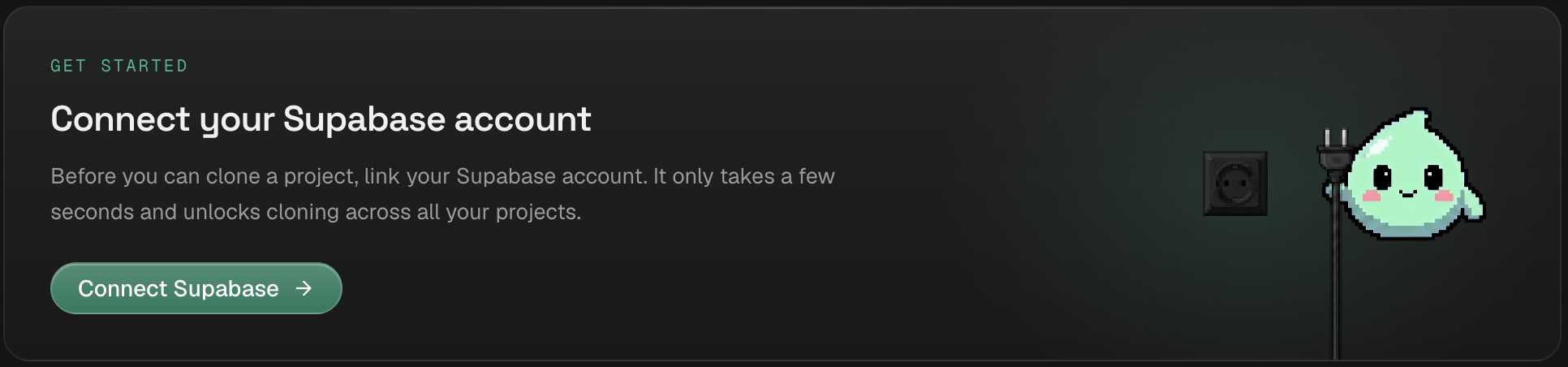
- Connect your Supabase organization. SupaClone connects to one Supabase organization over OAuth and looks up connection details through the Management API, so you never paste connection strings.
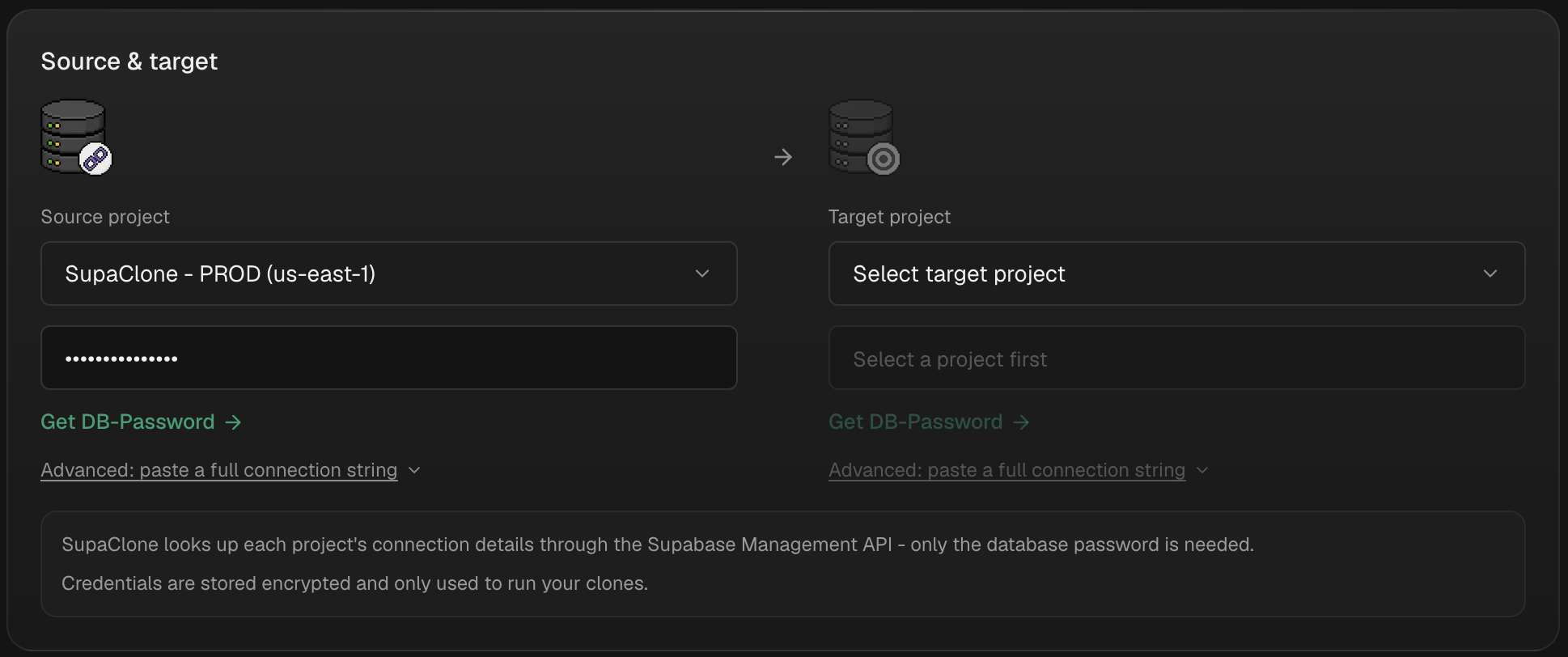
- Pick the source and an empty target. Choose the project to copy, then select an empty project or let SupaClone create one for you ("Create a new empty project", region selectable). SupaClone only reads the source and only writes into empty projects, so nothing gets overwritten.
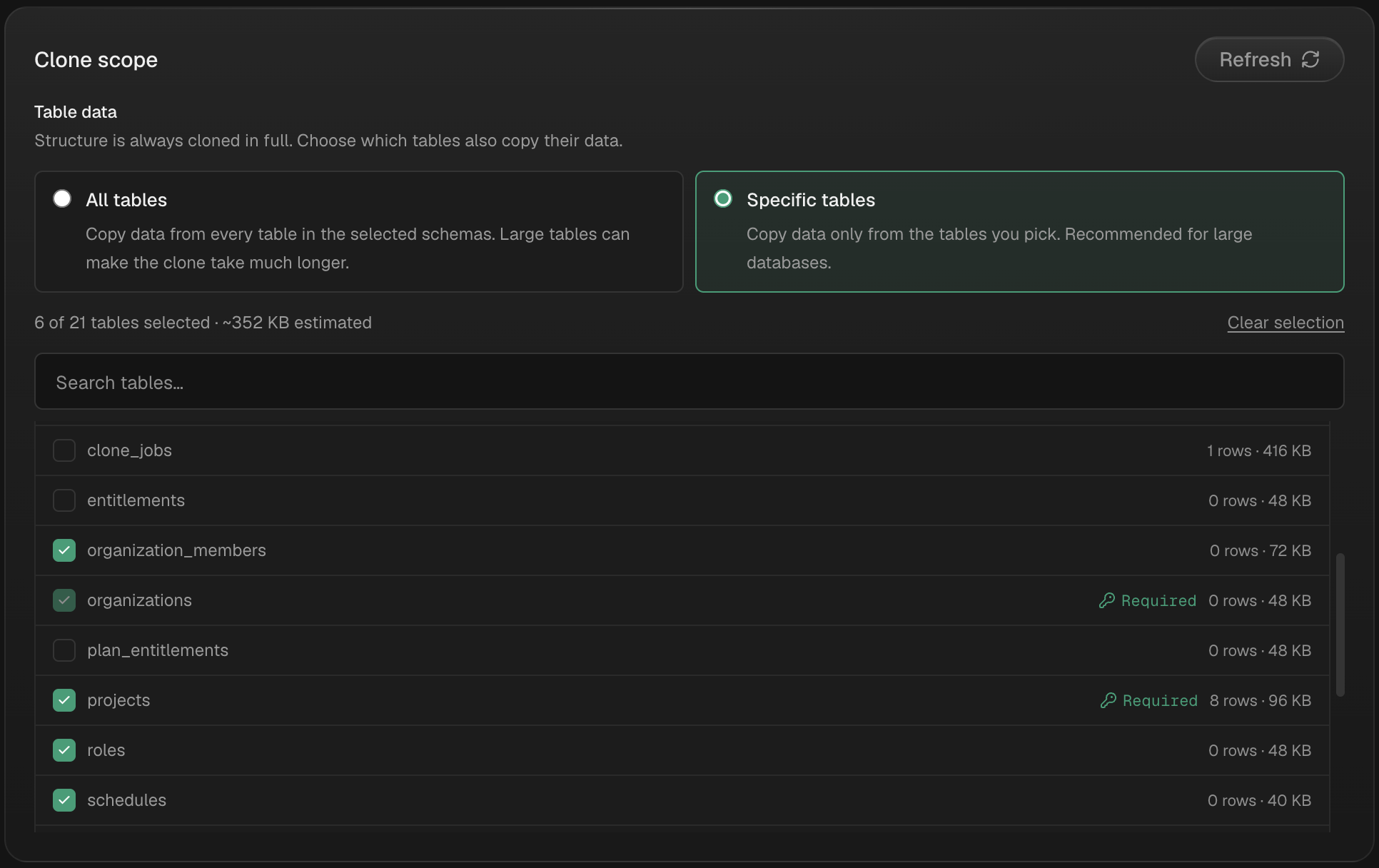
- Choose what to copy. Your own schemas - tables, RLS policies, functions, triggers, indexes, views, enums, extensions - and, if you want, their data. Storage, Edge Functions and Auth config are native, selectable options. The Supabase-managed schemas (
auth,storage,realtime) are skipped correctly, which is what makes a rawpg_dumppainful.
- Run and verify. Every run ends in a field-by-field verification and a report of what was copied, skipped, failed, or left as a manual step. Secrets are never copied - they show up as manual steps.
- Transfer the copy. Once the report looks right, transfer the new project to the other account's organization as described above. The original never leaves your organization.
Honest limits: SupaClone skips the managed auth schema, so auth.users never crosses over - fine for a template or a client starter, not for handing over a live user base (transfer the original for that). Anonymized data cloning is coming soon. Runs start at $9.99 one-time, no subscription (regional pricing may apply) - see pricing.
How do you copy a Supabase project on the free tier?
Restore to a new project needs a paid plan, so on the free tier you dump from the source and restore into a fresh project. Use three passes so roles and schema exist before the rows arrive:
supabase db dump --db-url "$SOURCE_DB_URL" -f roles.sql --role-only
supabase db dump --db-url "$SOURCE_DB_URL" -f schema.sql
supabase db dump --db-url "$SOURCE_DB_URL" -f data.sql --data-only

psql --single-transaction --variable ON_ERROR_STOP=1 --file roles.sql   --dbname "$NEW_DB_URL"
psql --single-transaction --variable ON_ERROR_STOP=1 --file schema.sql --file data.sql --dbname "$NEW_DB_URL"
Enable any Postgres extensions in the destination project before running schema.sql, or it will error, and exclude the managed schemas to dodge must be owner of. The Supabase pg_dump and pg_restore guide covers the exact flags and how to verify nothing dropped. Copying only the security layer? Copy RLS policies between Supabase projects drills into that. Since the dump lands in a project you create, you can create it directly in the other account's organization if you are a member there.
What doesn't come across with a copy?
A transfer keeps everything. A copy is a new project, so these need attention:
- Secrets and API keys - never copied by any method; the new project has its own keys.
- Storage objects and settings - not in Restore to a new project or a database dump; native in SupaClone, or download and re-upload manually.
- Edge Functions - redeploy via CLI, or include them natively in SupaClone.
- Auth settings and redirect URLs - reconfigure; SupaClone can copy auth config (not secrets).
- Realtime - re-enable per table.
The Copy Supabase Storage buckets & edge functions post walks through the Storage and Functions pieces in detail.
FAQ
Can you transfer a Supabase project to another account?
Yes, through an organization. Projects move between organizations, and you need to be Owner of the source organization and at least Member of the target. To hand a project to someone else's account, have them invite you into their organization, transfer the project, and leave their organization afterward.
Does transferring a Supabase project change its URL or API keys?
No. A transfer moves the same project, so the project ref stays the same and your URL and keys keep working. Only ownership, billing and possibly the available plan features change.
Why is the transfer button blocked?
The docs list three blockers: an active GitHub integration connection, project-scoped roles pointing at the project (Team/Enterprise), and configured log drains. Remove them, transfer, and set them up again in the target organization. Moving into a Free Plan org also requires that the target stays within its two free projects.
Can I keep the original and give someone a copy?
Yes. Clone the project into a new, empty project first - with SupaClone, Restore to a new project (paid plans) or pg_dump - and transfer the copy. The original stays in your organization untouched.
Are my secrets and API keys copied?
A transfer keeps them, because it is the same project. A copy never includes them: the new project gets its own API keys, and secrets have to be set again. SupaClone lists them as explicit manual steps in the clone report.